
Service
Automation and integrations that keep working at real volume
Connect the systems you already pay for so records move on their own. Built with retries and monitoring, so failures are visible instead of silent.
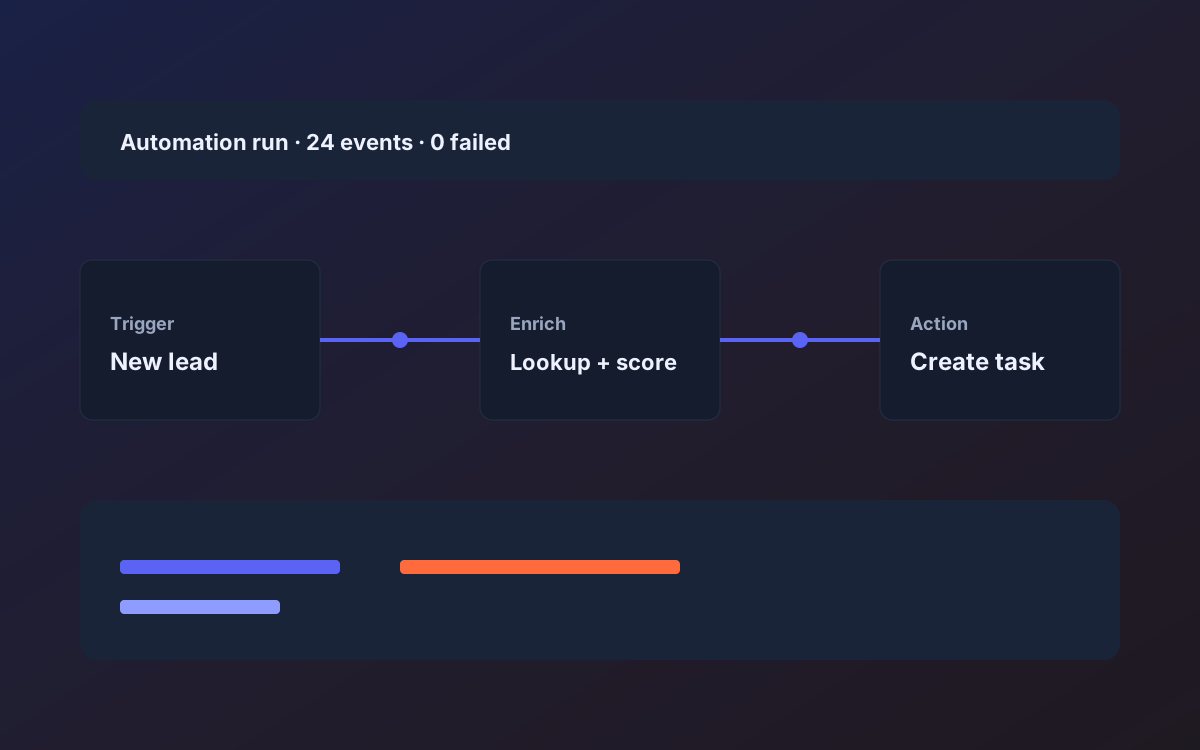
Every growing business reaches the point where two or three systems each hold part of the truth. Orders sit in a shop, invoices in accounting, customers in a CRM and the real status in someone's spreadsheet. People bridge the gaps by copying data across, which is slow, error-prone and miserable. Integration work removes the copying and makes the connection something you can see and trust.
The risk with automation is silent failure. A chain of triggers that works nine times in ten and quietly drops the tenth creates a mess nobody notices until a customer complains. We design for the tenth case: each sync has a source of truth, retries with backoff, protection against duplicates and a dashboard or alert when something needs attention.
We are not dogmatic about tooling. For light, low-stakes glue, a no-code tool may be the right answer and we will say so. When volume, money or rules are involved, we write code: webhooks, scheduled jobs, queues and small internal tools, delivered with runbooks so your team can operate them after handover.
The problems
What usually goes wrong
Copying the same record into three tools
Staff retype orders, contacts and invoices between systems every day. Each pass is a chance for a typo, and each typo causes follow-up work.
Automations that fail without telling anyone
A chain of no-code steps stops after a vendor changes a field name. Nobody knows until weeks of data are missing.
Duplicates and conflicting updates
Two systems edit the same record and overwrite each other. Without rules for who wins, data drifts and trust in reports erodes.
Vendors with awkward or no APIs
Some tools expose limited data, strict rate limits or only file exports. Teams guess at workarounds that fall apart under real volume.
What you get
Deliverables
Integration map
A diagram and written description of each system, what it owns, which data moves and in which direction.
Reliable sync services
Webhook receivers and scheduled jobs with retries, backoff and rules for resolving conflicts.
Idempotent imports and reconciliation
Re-running a job never creates duplicates, and reconciliation reports show where systems disagree.
Error handling and alerts
Failed items are captured, retried and surfaced to the right person by email or chat with enough context to act.
Small internal tools
Lightweight admin screens for reviewing exceptions, replaying failed items or editing mapping tables without engineering help.
Runbooks and monitoring hooks
Plain-language instructions for common failures and monitoring you keep after handover, running in your accounts.
How it works
Step by step
01
Inventory the systems
We list every tool involved, who uses it, what its API allows and where manual work currently bridges the gaps.
02
Decide source of truth
For each data type we choose which system owns it and how conflicts resolve, then record the decision in the scope.
03
Pick the lightest tool that is safe
We separate what a no-code tool can handle from what needs code, based on volume, rules and cost of failure.
04
Build and test with real data
We run integrations against copies of your real records, including awkward cases, and show results in weekly demos.
05
Go live and hand over
We switch over in stages, watch the first runs closely and deliver the runbook, access map and monitoring in your accounts.
06
Review after the first month
A month after launch we review failure logs and reconciliation reports with you, adjust retry rules and mappings, and retire any manual workaround that is no longer needed.
Timeline
How long it typically takes
A single well-documented integration between two systems often takes two to four weeks from approved scope. Multi-system workflows with reconciliation and internal tooling more commonly take six to twelve weeks. Vendor API limits, access approvals and the quality of existing data are the usual sources of delay, so we investigate them in the first week.
Who it's for
- Operations leads tired of re-keying data between CRM, billing, inventory and support tools
- Companies whose no-code automations have started to fail at higher volume
- Products that need webhooks, scheduled sync and an audit trail of what moved
Who it's not for
- Teams that only need one simple trigger a no-code tool can handle on its own
- Buyers expecting us to integrate with software that exposes no data at all
- Projects that need a full replacement system rather than connections between existing ones
Keep exploring
Related pages
FAQ
Frequently asked questions
When do you recommend Zapier or a similar tool?
For low-volume, low-risk connections where an occasional failure is cheap. For money, customer data or high volume, we favor code with retries and monitoring.
What happens when a sync fails?
Failed items are logged with the reason, retried automatically where it makes sense and raised to a named person when they need a human. Nothing is dropped quietly.
Can you integrate with a vendor that has no API?
We tell you early. Options may include file exports, partner endpoints or changing the tool, but we will not promise an integration the vendor does not allow.
Where do the integrations run?
In your accounts whenever possible, such as your AWS environment, so you own the runtime and the logs. We document every credential and permission involved.
Can you maintain them after launch?
Yes. APIs change, so many clients keep a small retainer for monitoring and updates, but the runbook means your own team can handle common issues instead.
How do you handle rate limits and large backfills?
We queue requests, respect each vendor's limits and run historical imports in controlled batches with checkpoints, so an interrupted run resumes instead of starting over or creating duplicates.
Next step
Tell us what you want to build
A short call, then a written scope in plain language before any build starts.
- Fixed scope
- Weekly demos
- You own the code